
Redacting documents can seem like a daunting task, but don’t let this deter you. With the right understanding and approach, you can turn this seemingly complex undertaking into a simple routine task.
And that’s precisely the intention behind this article – to empower you with the confidence and rules necessary to handle document redaction like a pro!
Whether you’re dealing with confidential business information, sensitive personal data, or classified government materials, we’ve got you covered.
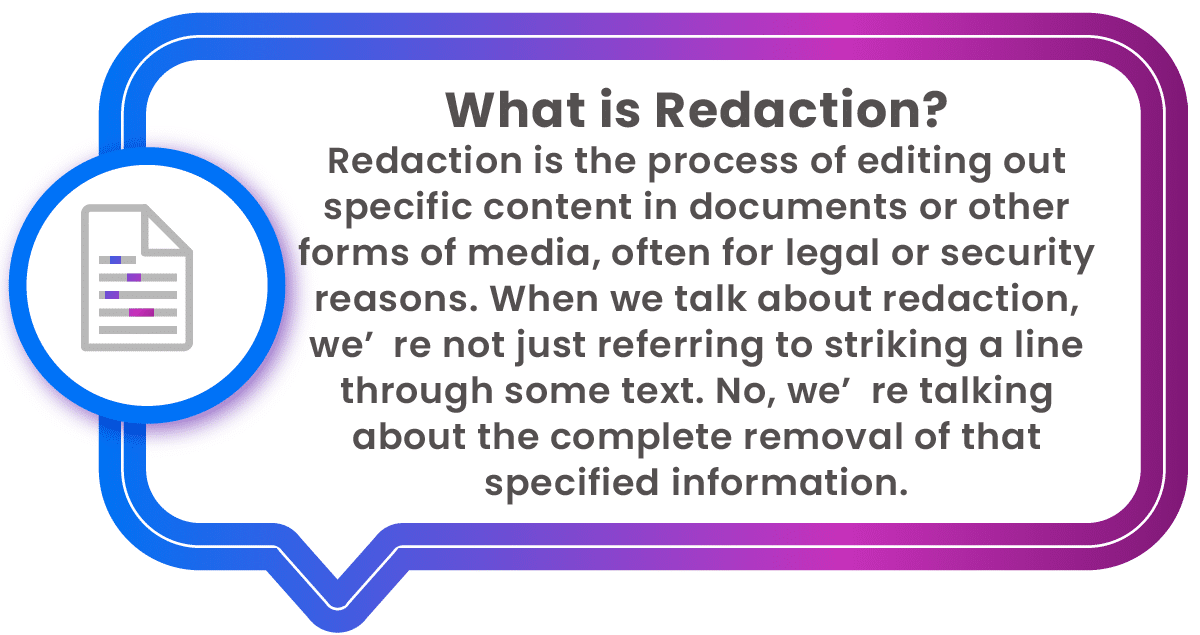
Why is this important, you may ask?
Redaction could protect sensitive data such as personal identifiable information (PII), protected health information (PHI), classified industry secrets, sensitive financial details, and so on from falling into the wrong hands. In our increasingly information-saturated society, the proper redaction of documents is an absolutely critical skill to master.
Yet, it’s also a process that can be far from straightforward. There are a number of guidelines to follow, precautions to take, and pitfalls to be aware of.
Redaction Rules
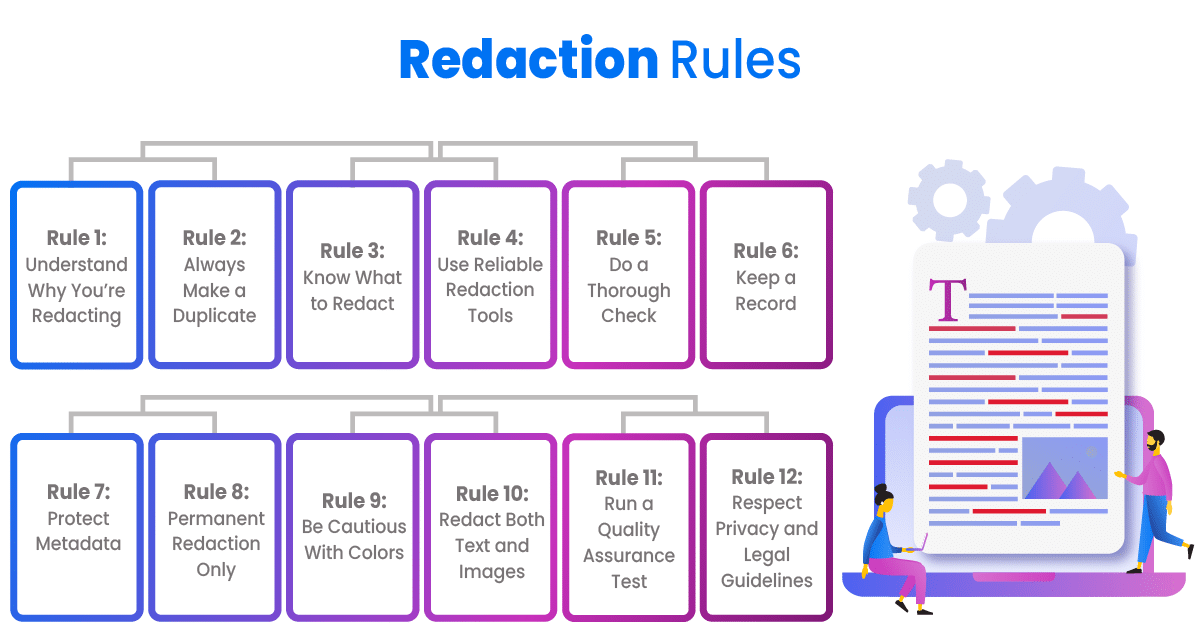
Now that you know what redaction is, let’s dive into the top 12 rules for redacting documents. These guidelines will help ensure that your redaction process is accurate, secure, and legally compliant.
Rule 1: Understand Why You’re Redacting
When considering the why of redaction, think about what it protects. Information may need to be redacted for a variety of reasons such as safeguarding sensitive personal data such as HIPAA-related information, preserving national security, protecting trade secrets, or even preventing unnecessary public panic.
Determining the reason for redaction not only ensures that you adhere to all necessary guidelines and laws, but it also assists you in deciding how much information you need to redact, and what the risk level is if it’s inadvertently disclosed.
For instance, if you are redacting information due to privacy laws, you’ll need to ensure you are concealing enough information that the individual cannot be recognized. Similarly, if the reason for redaction is to protect a trade secret, securely concealing enough data to maintain the secrecy is essential.
A comprehensive understanding of why you’re redacting sets the tone for how meticulously you need to proceed.
Rule 2: Always Make a Duplicate
Before you start redacting, always create a duplicate of the original document. This is crucial in case you make a mistake during your redaction or need to refer back to the original information.
Maintaining a copy of your original document acts as a safety net. In the course of redaction, it’s very simple to accidentally remove more information than intended or, conversely, fail to fully redact necessary information. In both scenarios, the duplicate helps you rectify errors, as it’s easier to cross-reference and spot discrepancies.
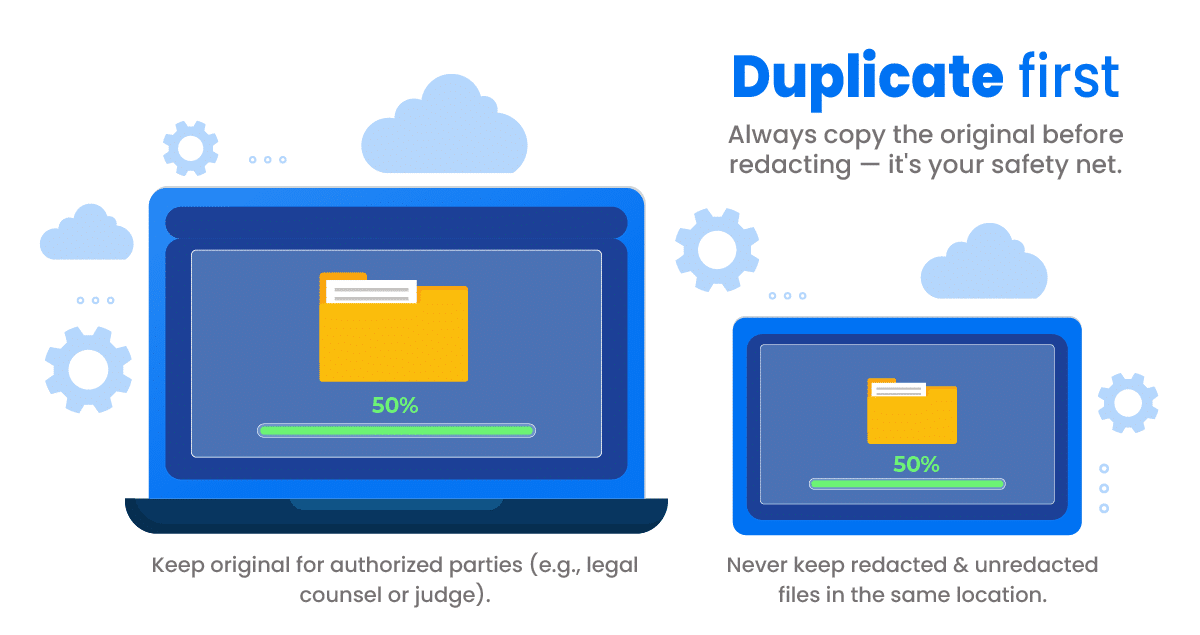
Moreover, in some cases you might need to present the original, unredacted document to authorized people, such as a legal counsel or a judge. Having both versions of the document – redacted and unredacted will prove to be advantageous. This way your original information stays intact and unaltered, providing a trustworthy reference point.
And let’s face it, we’re human and mistakes happen. A forgotten word or a missed line could expose sensitive information. So subjecting your redacted documents to multiple QA tests before their release is highly recommended. If any mistakes are detected, simply revisit your duplicate and commence redaction again. It’s the ideal fallback.
And lastly, remember not to store your unredacted copy and redacted document in the same location – following proper data storage protocols is critical to avoid compromising your security efforts. Always maintain good bookkeeping practices so as not to lose and easily access these important files.
Rule 3: Know What to Redact
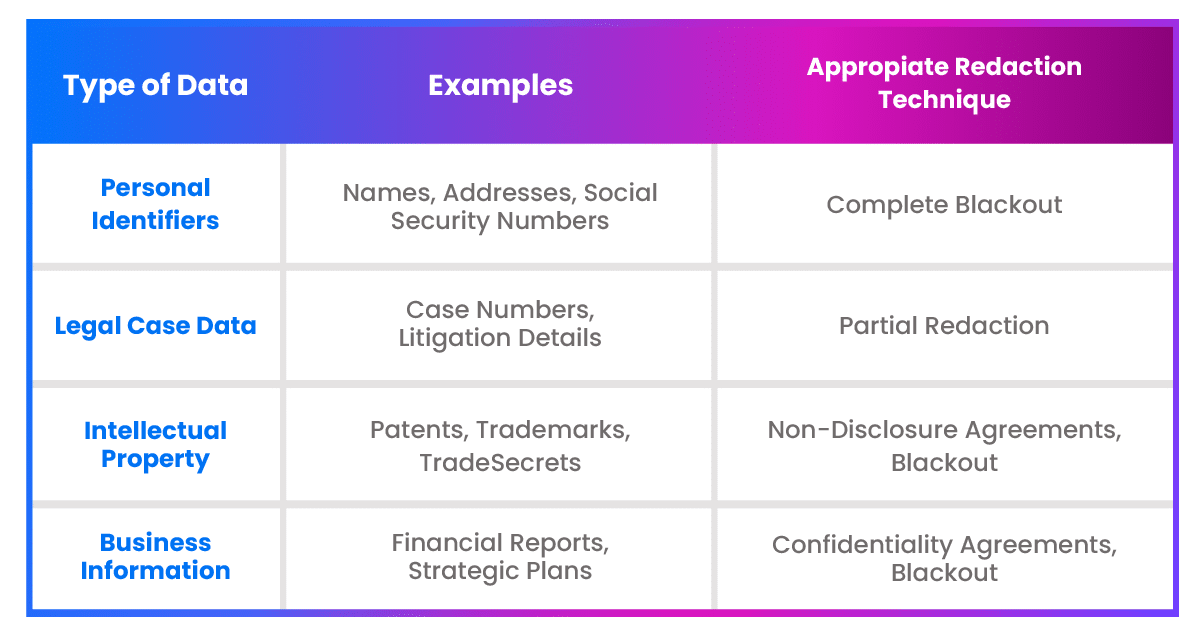
It’s essential to understand the type of data you’re redacting. This often includes personal identifiers, legal case data, intellectual property, or sensitive business information. The type of information will direct your redaction strategy.
Rule 4: Use Reliable Redaction Tools
Utilize reliable redaction software or tools. Low-grade tools can leave room for unsecure redactions, revealing sensitive information. Go for tested and proven tools offering complete and secure redaction.
When choosing a redaction tool, consider examples of reliable ones like Adobe Acrobat.. Tools that have robust capabilities that assure secure and comprehensive redaction.
Rule 5: Do a Thorough Check
Once you’ve performed the redaction, conduct a thorough scrutiny to ensure no sensitive data slips through. Overlooking even the smallest details can be disastrous.
To perform a thorough scrutiny after redaction, you should meticulously examine each page of your document. Start at the top and carefully work your way down to the bottom, paying close attention to every detail. Adopt a fine-tooth comb approach—look closely at each line, each word, and even punctuation. This process can be tedious, but its importance cannot be overstated.
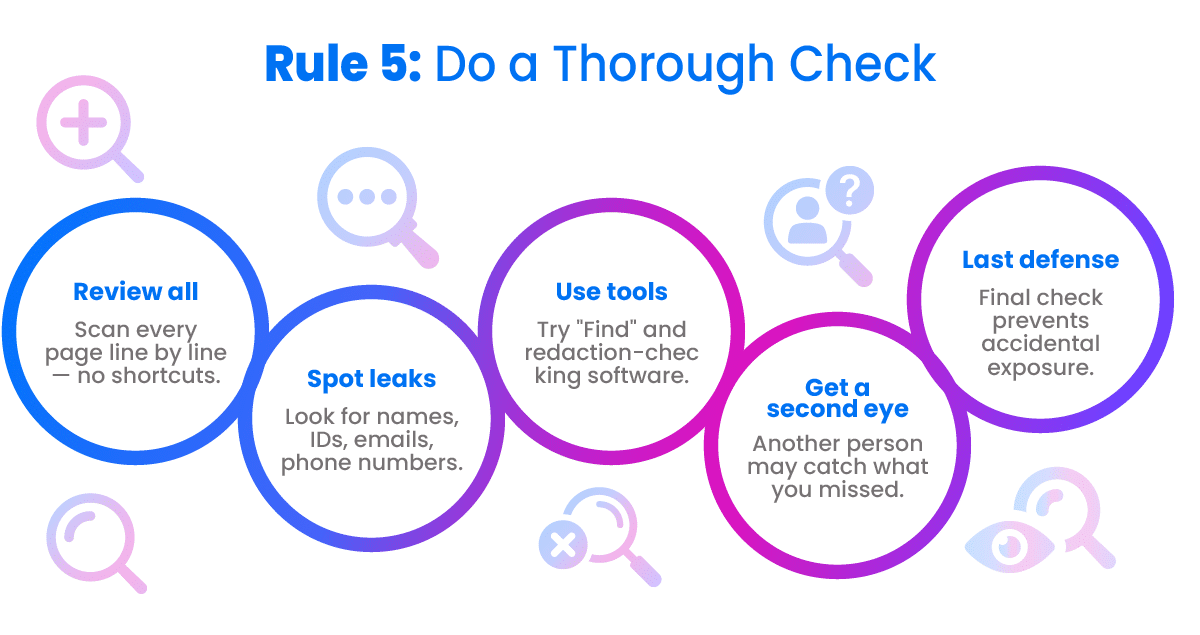
While scrutinizing, narrow down your focus to sensitive information such as personal identification numbers, addresses, phone numbers, email addresses, and other personal or confidential data. Make sure nothing has been overlooked or missed during the redaction process. Using the ‘find and replace’ function in your software can also aid in locating potentially unredacted sensitive data.
Also, consider getting a second pair of eyes to perform an additional review. They can spot mistakes or oversights, offering another layer of security to the entire process. Furthermore, there are software tools that can help examine your documents for unredacted information so you can ensure that all sensitive data has been effectively and accurately redacted.
Remember: nothing beats the effectiveness of meticulous scrutiny. It’s your last line of defense against accidental data exposure.
Rule 6: Keep a Record
Maintain a transparent record of what was redacted, why it was redacted, and who redacted it. This can be key in case of disputes or legal quandaries.
The Legal Implications of Improper Redaction
Handling sensitive information requires diligence and adeptness. Any slip-up in redaction can lead to grave consequences, particularly involving the law. Here are the legal implications that might follow improper redaction:
- Potential for litigation: Exposing confidential data unintentionally can put you or your organization at risk for lawsuits.
- Violation of privacy laws: If Personal Identifiable Information (PII) is revealed, it can result in a breach of privacy laws such as GDPR or HIPAA.
- Compromised security: Information leaked can also compromise national security in certain cases, particularly project-sensitive or defense-related documents.
- Quality and trust issues: Failure in proper redaction can damage the reputation of an individual or an organization and lead to loss of trust among stakeholders or clients.
- Penalties and fines: Breach of privacy or confidentiality laws can attract heavy fines and penalties.
- Loss of Intellectual Property: If improperly redacted documents pertaining to business specifics or proprietary information end up in the wrong hands, it could lead to a loss of intellectual property.
Remember, to avoid facing legal implications, it’s crucial to be meticulous when redacting documents and adhere to rules and best practices of redaction.
Rule 7: Protect Metadata
Remember, even deleted text can remain in a document’s metadata. Always clear metadata to fully remove any scrubbed information.
Rule 8: Permanent Redaction Only
Once redacted, the hidden data must be impossible to retrieve. Redaction should be a permanent action to uphold the integrity of your documents and their confidentiality.
Rule 9: Be Cautious With Colors
In most cases, use black color to redact. However, it’s essential to be aware that different colors can represent classified data to different degrees in legal contexts.
When we talk about being cautious with colors, remember that not all colors ensure the same level of coverage over sensitive information. While many opt to go with a black box or blacked-out text, it’s primarily because black offers the highest contrast, making the redacted material unreadable.

However, the use of color isn’t just about ensuring something is unreadable. Sometimes, redaction colors can have symbolic meanings too. For instance, in legal contexts, various colors can signal different categories or levels of sensitive information.
You can also implement various colors that correspond to various “Redaction Codes or Categories” for the required redaction.
All of this is so that each color could tell a different story to someone versed in these color codes. Therefore, when redacting, it’s important you understand the possible implications of the colors you’re using.
Always aim for clarity and be cautious when using colors other than black for redaction. Consider the legibility and the potential interpretations of your chosen color. After all, the main goal of redaction is to make particular pieces of data indiscernible, without misrepresenting or compromising other vital parts of the document.
Rule 10: Redact Both Text and Images
Information isn’t just text. Illustrations, photos, diagrams, and charts also hold data that may require redacting. Remember to redact any visual data when necessary.
Rule 11: Run a Quality Assurance Test
After redaction, it’s vital to run a QA test to ensure the complete removal of sensitive data. Use another pair of eyes if necessary. A fresh perspective can spot what you might have overlooked.
A Quality Assurance (QA) test involves a few key steps:
- Reviewing the redacted sections: Go through the redacted parts, ensuring all sensitive content has been appropriately concealed.
- Scanning the whole document: Aside from the parts you purposefully redacted, carry out a general scan of the entire document to find any potentially sensitive data missed in the initial redaction process.
- Checking the metadata: Review metadata to ensure no thawed-away sensitive information resides there.
- Engaging a second person: Have a second reviewer go through your redacted document. They could spot something you have overlooked.
- Enlisting a software check: Use advanced redaction tools that have options for double-checking the security of redacted items.
Rule 12: Respect Privacy and Legal Guidelines
Last but not least, always consider the legal requirements of your country or state and respect the privacy rights of individuals when redacting documents.
In conclusion, redacting documents is a delicate task requiring precision and thoroughness. Observe these rules closely to maintain confidentiality and privacy while handling sensitive documents.
NEW: ShareVault 6.0’s AI Redaction Feature: The Future of Document Security
With the release of ShareVault 6.0, redaction just got a whole lot smarter. One of the most significant updates is the introduction of our AI-driven Redaction feature. This innovative tool takes the daunting task of manually reviewing documents for sensitive information and streamlines it into a fast, accurate, and highly secure process.
AI-driven redaction works by leveraging machine learning algorithms to automatically identify and redact sensitive data like personally identifiable information (PII), protected health information (PHI), financial records, and trade secrets. The AI scans your document, flagging potentially sensitive information and applying the appropriate redactions—without human intervention. This drastically reduces the risk of errors while saving time and resources.
Whether you’re handling legal contracts, healthcare records, financial statements, or intellectual property documents, ShareVault 6.0’s AI Redaction tool ensures that you are protecting confidential information with the highest level of precision.
Why Choose AI Redaction?
Accuracy: Traditional redaction can be prone to human error. With AI, ShareVault 6.0 provides near-perfect accuracy in identifying and removing sensitive data from documents, eliminating the risk of inadvertently exposing private information.
Speed: AI can process redactions in a fraction of the time it would take a human. This is especially crucial for large-scale projects or those requiring quick turnaround times, ensuring you stay ahead of deadlines without sacrificing security.
Compliance: ShareVault’s AI Redaction feature is designed to meet the strictest legal and regulatory requirements for data protection. Whether you’re complying with GDPR, HIPAA, or industry-specific standards, our AI tool helps ensure you follow all necessary guidelines.
Scalability: AI-driven redaction is ideal for organizations handling vast amounts of documents on a daily basis. ShareVault 6.0’s ability to quickly and securely redact documents at scale makes it an essential tool for enterprises looking to protect sensitive information without overburdening their teams.
Ease of Use: The AI Redaction feature is seamlessly integrated into ShareVault 6.0’s user interface, making it incredibly simple for users to upload, review, and redact documents without the need for specialized technical knowledge. With just a few clicks, you can ensure that all sensitive information is securely removed from your documents.
With ShareVault 6.0’s AI Redaction, the future of document security is here. Embrace the power of AI and protect your most sensitive data with confidence and ease.